Chat with an employee
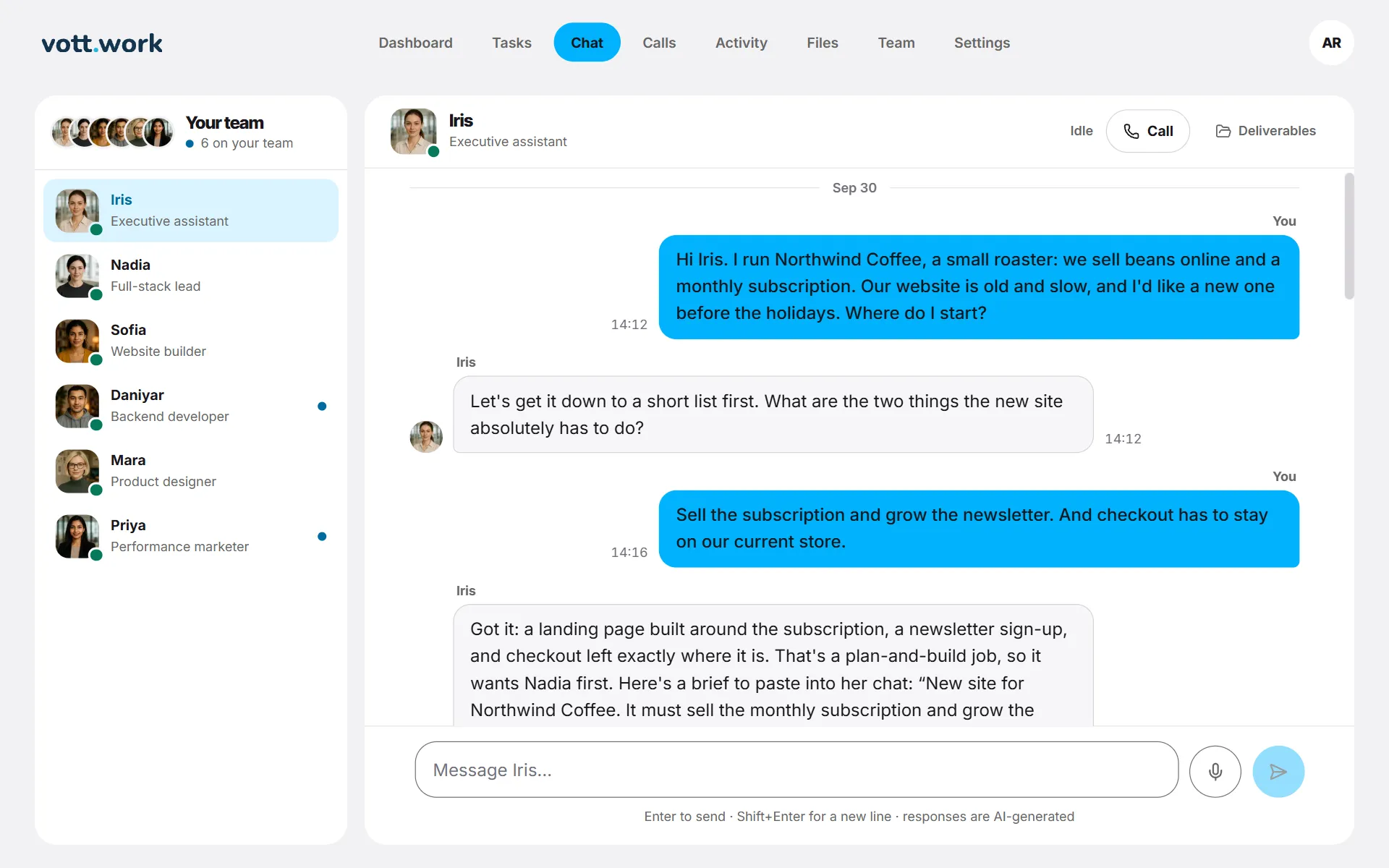
Open Chat, pick someone in the list and type. Enter sends, Shift+Enter starts a new line.
- Open Chat and pick someone in the list on the left (on a phone, in the row of faces at the top).
- Type in the box at the bottom. Enter sends; Shift+Enter starts a new line.
- The reply appears in a few seconds.
Good to know
- One employee answers at a time. If someone else is still writing a reply, wait for them to finish before you send.
- A message you haven't sent is kept for each person while the tab stays open, so you can switch and come back.
- A blue dot by a name means something new from that person: a reply, finished work or a call summary.
- Call at the top opens the call room with this person seated. Nothing starts until you press Go live.
- Deliverables at the top shows this person's open and finished work.
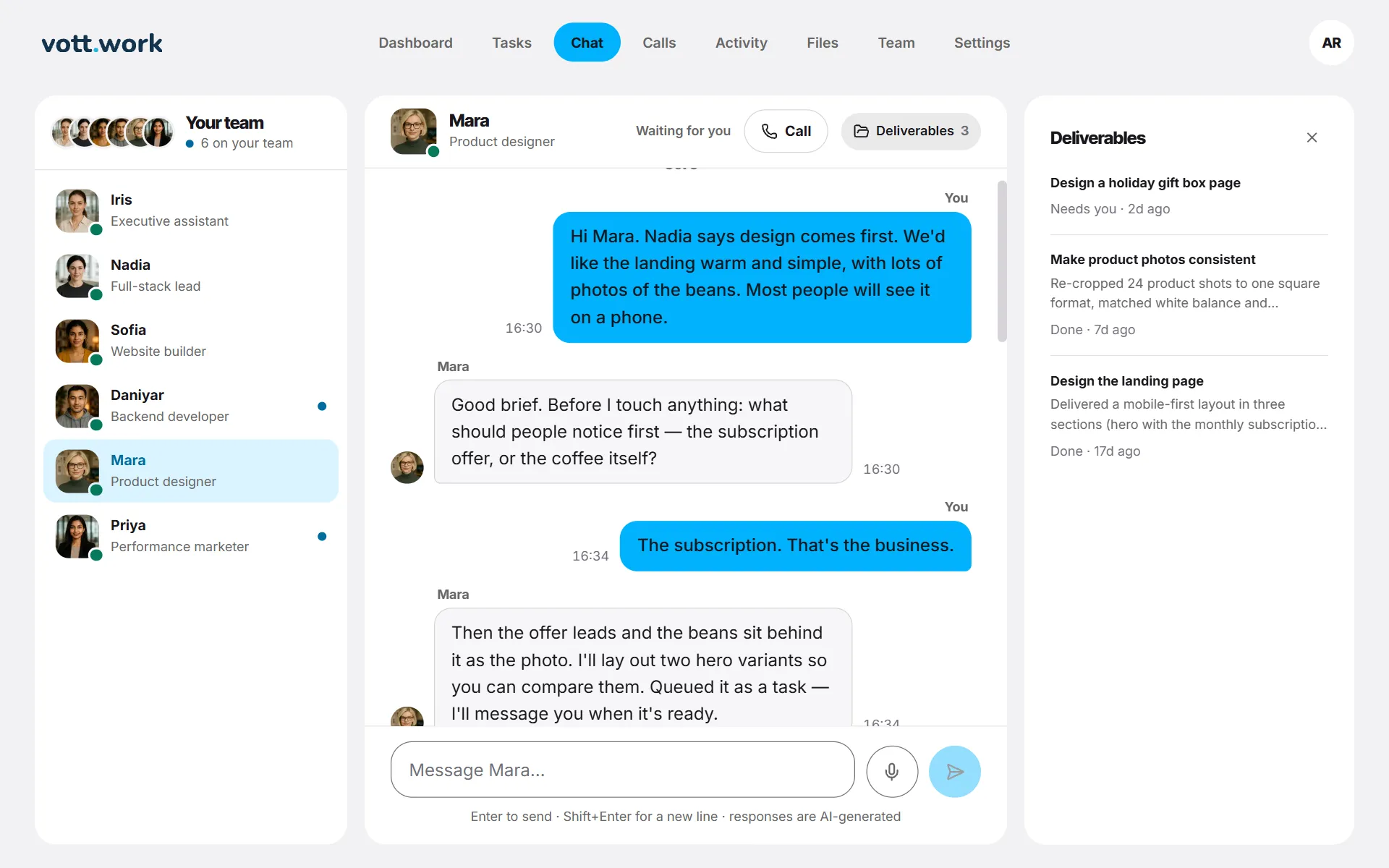
Screenshots show a sample workspace, Northwind Coffee.
Still stuck?
Write to us and say what you were trying to do, what you expected and what happened instead. A screenshot helps.