Give your team a task
Agree a brief with the employee in chat; once you do, the task appears on Tasks. New task and calls lead to the same place.
In chat
- Open the employee who should do it in Chat.
- Say what you want, who it is for and what done looks like.
- The employee sums the brief up in one line. If it is right, say so.
- The task appears on Tasks as In progress, with “… is writing it”.
With the New task button
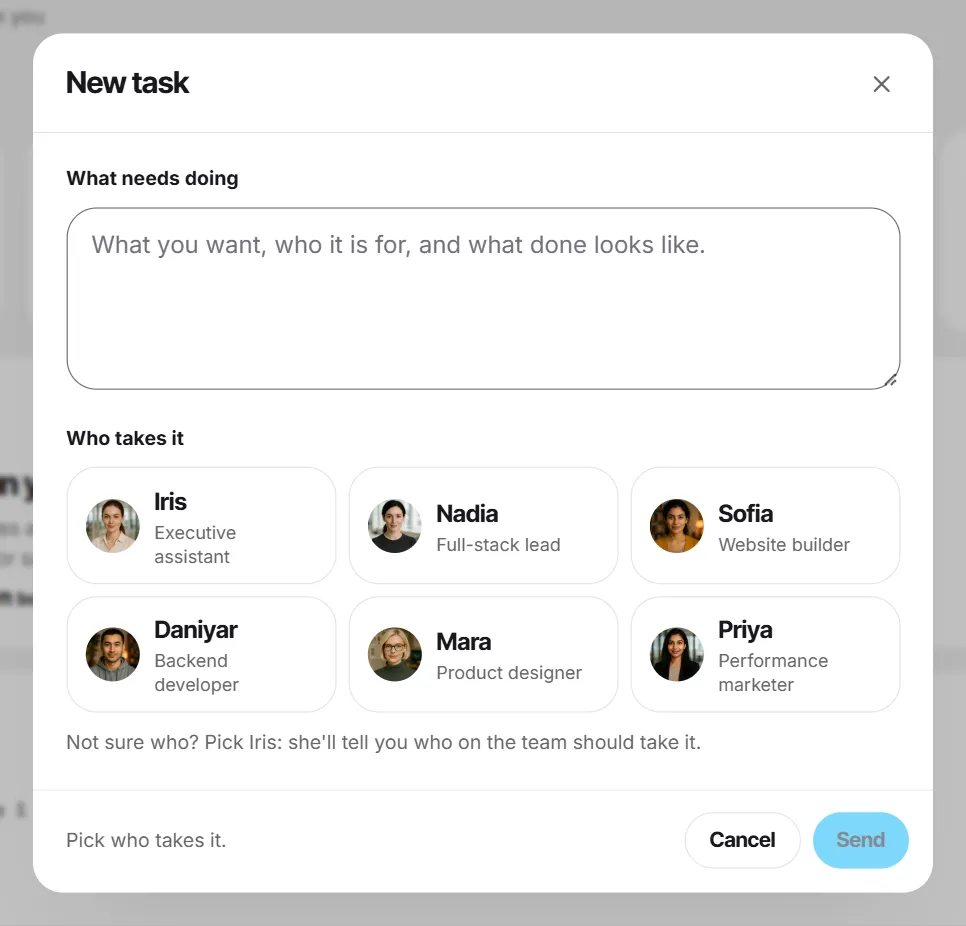
- Press New task on Tasks, the Dashboard, Files or Team.
- Under What needs doing, describe the work.
- Under Who takes it, pick the employee — or Iris if you're not sure.
- Press Send to …. Your brief goes to that person as a chat message and the conversation opens. The employee creates the task there, usually after checking the brief with you.
On a call
Screenshots show a sample workspace, Northwind Coffee.
Still stuck?
Write to us and say what you were trying to do, what you expected and what happened instead. A screenshot helps.