Start a call
Open Calls, choose who joins and whether it is video or voice, press Go live, then unmute your microphone.
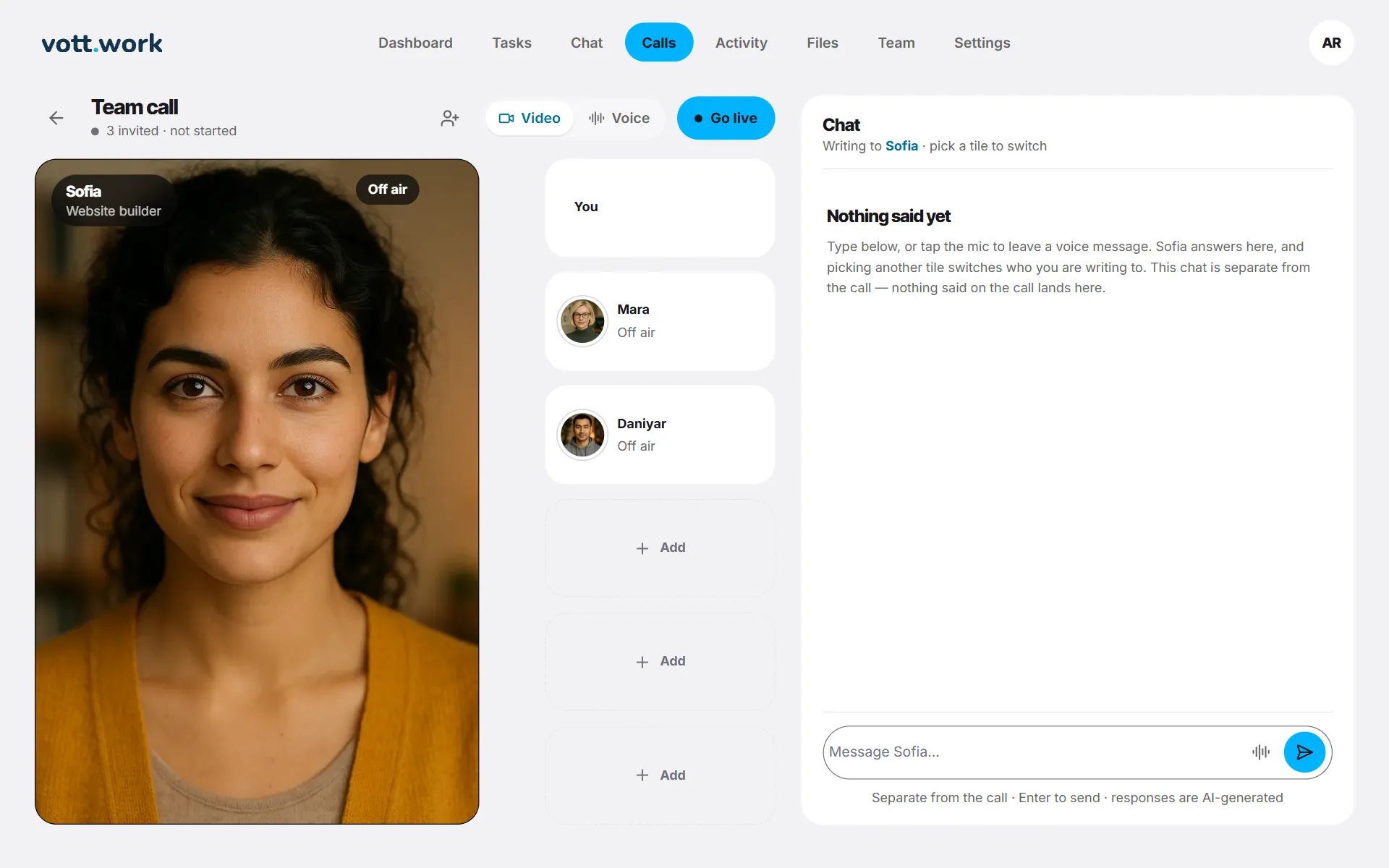
- Open Calls. Sofia, Mara and Daniyar are seated by default, Sofia on the big stage. To call just one person, press Call in their chat or Call… on their Team card.
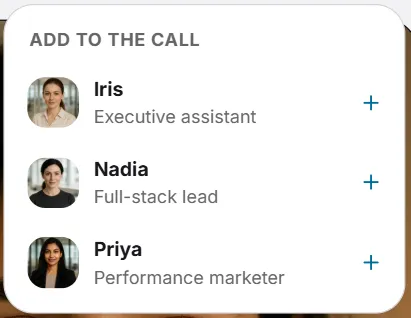
- Add someone with the button with a person and a plus at the top, or with an empty Add seat. Remove someone with the cross on their seat. All six can join.
- Choose Video or Voice next to Go live.
- Press Go live. Each seat shows Joining, then On air.
- Press the microphone button to unmute — it starts muted — and talk.
- Press End call when you are done.
Before you start, the page says how many minutes of that kind are left. Calls are in English.
Screenshots show a sample workspace, Northwind Coffee.
Still stuck?
Write to us and say what you were trying to do, what you expected and what happened instead. A screenshot helps.