The Dashboard, tile by tile
The Dashboard sums up your team's week: what is waiting for you, what was delivered and how much of your plan is left.
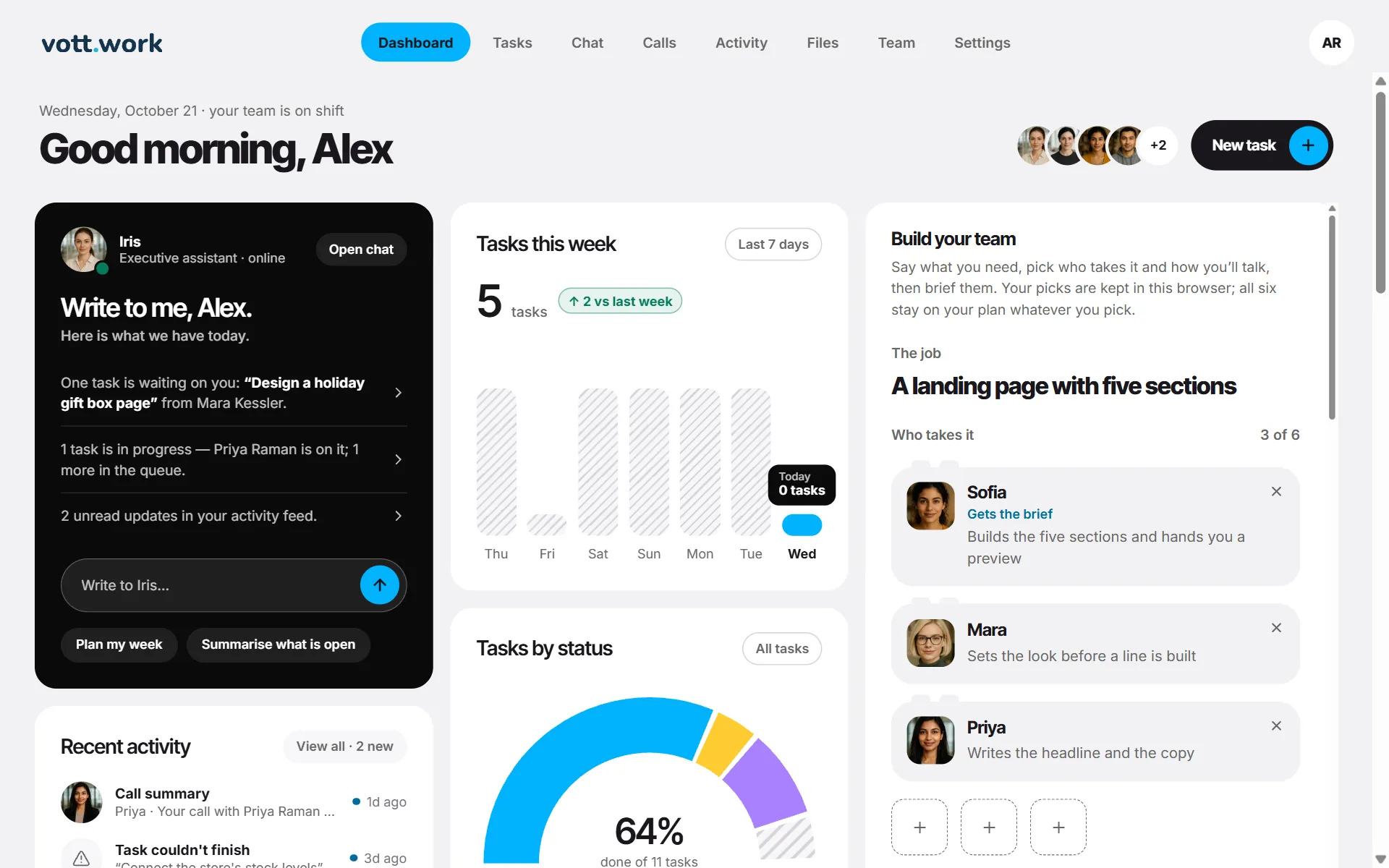
- Iris — the dark tile. A short briefing on what is waiting for you, built from your tasks, and a box to write to her. Plan my week and Summarise what is open send that request to Iris straight away. See Write to Iris from the Dashboard.
- Recent activity — the four newest updates. View all opens the full list.
- Tasks left — how many tasks this cycle still has and when it renews.
- Tasks this week — how many tasks were started on each of the last 7 days. Tasks by status — where your latest 100 tasks stand.
- Open work — tasks in progress or waiting for you, and anything that failed this week.
- Minutes left — voice and video minutes left in this cycle.
- Delivery — how much work finished well, the usual time from brief to done, and what is waiting on you.
- Video call and Voice call — open the call room.
- Task timeline and Your team — the last 7 days of work, and each employee with Chat and Call buttons.
- Build your team — a helper for picking who takes a job and how you will talk. Your picks are kept in this browser and don't change your plan.
The Dashboard refreshes itself every minute.
Screenshots show a sample workspace, Northwind Coffee.
Still stuck?
Write to us and say what you were trying to do, what you expected and what happened instead. A screenshot helps.